
Android App Development vs Web Application: Which Should Your Business Build?
A business guide comparing native mobile apps, Progressive Web Apps (PWAs), development costs, hardware access, and user acquisition.

- 1. The Platform Dilemma: App Store vs Open Web
- 2. When Native Android App Development Is Essential
- 3. When a Web Application Delivers Superior Business ROI
- 4. The Progressive Web App (PWA): The Modern Middle Ground
- 5. Comprehensive Head-to-Head Comparison Matrix
- 6. User Acquisition Economics: The Friction Factor
- 7. RankVRA's Platform Selection Decision Playbook
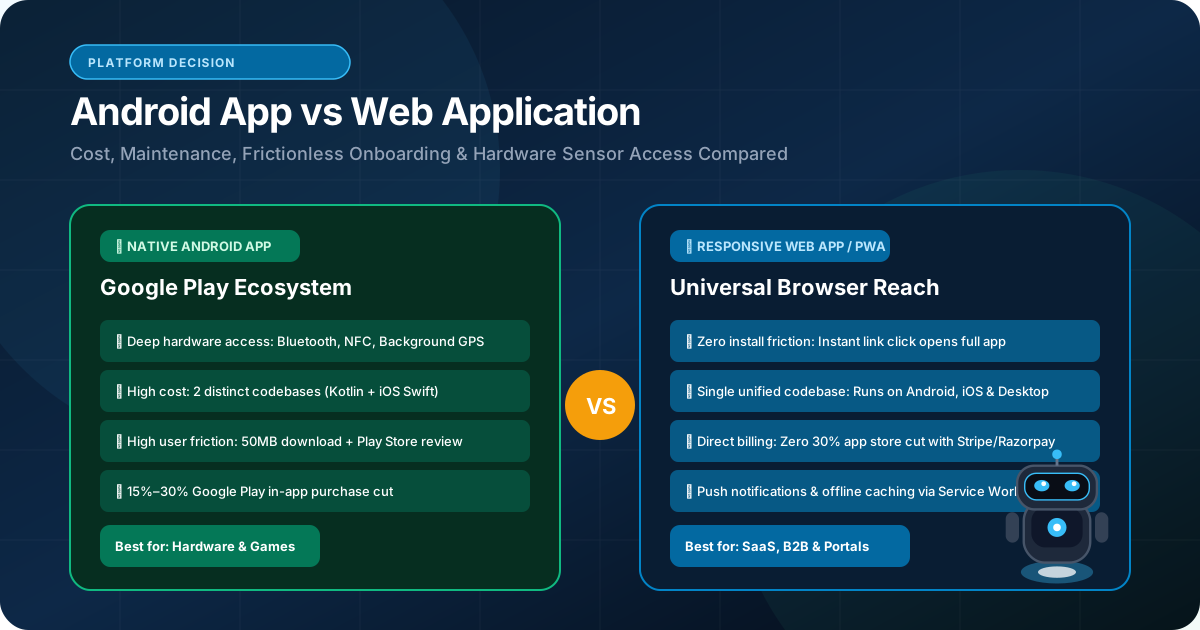
When business leaders prepare to launch a new digital service, client portal, or customer-facing tool, they frequently face a critical platform decision: Should we build a native mobile app for Android (and iOS), or should we build a modern, responsive web application? For non-technical executives, building an app sounds prestigious: 'Having our icon on the user's phone home screen ensures loyalty!' However, what many founders overlook is the brutal friction of app store distribution, the 15% to 30% commission fees charged by Google Play and Apple, and the massive development overhead of maintaining separate codebases for mobile and desktop. This guide provides an honest, technical, and commercial comparison between Android app development and web application development, helping you allocate your capital where it reaches the most customers.
A business should build a native Android app when the software requires deep smartphone hardware access (background GPS tracking, Bluetooth peripherals, biometric hardware) or operates in disconnected offline environments. A web application is superior for broader customer reach, zero installation friction, instant URL sharing, immediate SEO discoverability, and substantially lower development and maintenance costs.
1. The Platform Dilemma: App Store vs Open Web
Balancing hardware-level capabilities against universal browser accessibility
The platform decision represents a fundamental trade-off between depth and reach:
An Android Mobile Application is installed directly on the user's physical hardware via Google Play (written in Kotlin or React Native). It has direct access to the device's camera, Bluetooth, push notification daemon, local storage, and background processing.
A Web Application runs inside standard web browsers (Chrome, Safari, Edge) across all operating systems—Android, iOS, Windows, Mac, and Linux. It requires zero installation, updates instantly without app store review delays, and is immediately discoverable via Google organic search.
Understanding which environment matches your customer's real behavior is the key to avoiding costly missteps.
2. When Native Android App Development Is Essential
Operational requirements that mandate native mobile installation
Building a dedicated Android application is justified when your software requires:
• Continuous Offline-First Operation: If your field agents, warehouse inspectors, or remote service technicians work in underground basements, rural fields, or industrial zones with zero cellular connectivity, a native Android app with SQLite/Room local persistence allows full functionality, queuing data for background sync once connectivity returns.
• Direct Hardware Peripheral Access: Connecting via Bluetooth Low Energy (BLE) to external barcode scanners, thermal receipt printers, medical monitors, or specialized IoT sensors.
• Background Location & Geofencing: Continuously tracking vehicle locations or delivery drivers in the background even when the phone screen is turned off and the app is closed.
• High-Frequency Daily Usage: For applications that users interact with 10 to 50 times per day (e.g., driver dispatch, daily field reporting, delivery couriers), having a native home screen icon with instant biometric fingerprint authentication delivers superior ergonomics.
3. When a Web Application Delivers Superior Business ROI
Why 80% of business tools succeed faster on the open web
For the vast majority of commercial software, client portals, and B2B services, a web application is significantly superior:
• Zero Installation Barrier: Forcing a customer or corporate procurement officer to download an app from Google Play just to request a quote, view an invoice, or approve an order creates massive drop-off. Over 60% of users abandon workflows that force an app download.
• Universal Cross-Device Access: One single Next.js codebase serves users on Android smartphones, iPhones, iPads, laptops, and 30-inch office desktop monitors with 100% responsive fidelity.
• Organic SEO Discovery: Native apps cannot be indexed by Google search in the same way as web pages. A web application leverages organic search traffic and programmatic landing pages to attract new customers continuously.
• Instantaneous Continuous Deployment: When you fix a bug or launch a feature on a web app, it goes live to 100% of users worldwide in seconds. With mobile apps, you must submit updates to Google Play, wait 24 to 72 hours for review, and wait weeks for users to update their phones.
4. The Progressive Web App (PWA): The Modern Middle Ground
Combining the reach of the web with the feel of a native mobile app
Many businesses do not realize there is a powerful third option: Progressive Web Applications (PWAs).
A PWA is a web application built using modern web standards (Next.js, Service Workers, Web App Manifest) that behaves like a native mobile app:
• Home Screen Installation: Users can tap 'Add to Home Screen', placing a branded icon on their Android phone without visiting Google Play.
• Push Notifications: Sending background push alerts directly to the user's notification shade.
• Offline Caching: Service workers cache critical application assets locally, allowing the app to load instantly even on flaky cellular connections.
PWAs deliver 90% of the mobile app experience at half the development cost, while maintaining full web search discoverability.
5. Comprehensive Head-to-Head Comparison Matrix
Side-by-side technical and commercial comparison
The table below contrasts native Android development with modern web application engineering:
| Dimension | Native Android Application | Modern Web Application (Next.js) |
|---|---|---|
| User Accessibility | Requires Google Play download & installation | Instant via URL (Zero download friction) |
| Cross-Platform Reach | Android devices only (iOS requires separate build) | Universal: Android, iOS, Windows, Mac, Linux |
| Organic SEO Discovery | Poor (Limited to app store search keywords) | World-Class (Full Google search indexing) |
| Development & Maintenance Cost | Higher (Maintain separate mobile & web codebases) | Lower (Single unified TypeScript codebase) |
| Hardware Integration | Complete (Bluetooth, Background GPS, NFC, Camera) | Good (Camera, GPS, WebRTC, limited background) |
| Update Deployment Speed | 24–72 hours (Subject to Google Play approval) | Instantaneous (<60 seconds via CI/CD pipelines) |
| Payment Processing Fees | 15% – 30% Google Play in-app billing fees | Standard 2% – 3% gateway fees (Stripe/Razorpay) |
6. User Acquisition Economics: The Friction Factor
Why Cost-Per-Acquisition is typically 4x higher for mobile apps
From a marketing perspective, the economics of native mobile apps are punishing:
To acquire a user for a mobile app, you must pay for a click, convince the user to visit Google Play, wait for a 45MB download on their mobile data, accept permissions, open the app, and complete registration. Each step introduces 20% to 40% drop-off.
With a modern web application, the user clicks an ad or search result and is instantly inside your active platform. You capture their email or phone number in 15 seconds. For commercial B2B and service enterprises, web acquisition costs are dramatically lower.
7. RankVRA's Platform Selection Decision Playbook
How to choose the winning platform for your business model
Apply this 3-rule decision playbook:
Rule 1: If your product is a B2B portal, client account dashboard, wholesale tool, SaaS platform, or customer quote system → Build a Web Application (Responsive Next.js).
Rule 2: If your product is a daily internal operations tool for on-the-road field agents who need offline syncing, barcode scanning, and background GPS → Build a dedicated Android App (Kotlin or React Native).
Rule 3: If you want home screen presence and push notifications without spending $40,000 on separate app store builds → Build a Progressive Web App (PWA).
The Bottom Line & Next Steps
The choice between an Android application and a web application is a strategic decision that dictates your customer acquisition friction, engineering budget, and operational agility. While native Android applications excel in hardware-intensive and disconnected field scenarios, modern responsive web applications deliver superior reach, instant discoverability, and higher commercial ROI for most business initiatives. Consult with RankVRA to determine the optimal platform strategy for your next digital product.
Questions Business Leaders Ask About Android app development vs web application
Can we build a web application first and convert it into a mobile app later?▾
Yes. In fact, this is our recommended strategy for most startups and growing businesses. By building a responsive web application first using Next.js and React, you validate product-market fit with minimal cost. Later, you can wrap the application into a mobile app using React Native or Capacitor, sharing up to 70% of business logic.
Do Google Play fees apply to all transactions in Android apps?▾
Google Play charges 15% to 30% commission on digital goods, subscriptions, and in-app content. However, physical products, real-world services (e.g., booking a hotel room or paying an insurance policy), and B2B services are exempt and can use third-party payment gateways.
Can a web application send push notifications to Android phones?▾
Yes. Modern Android browsers (Chrome, Edge, Firefox) fully support the Web Push API, allowing your web application to deliver rich push notifications directly to the user's notification tray even when the browser is closed.

Written by Naveen Panchal
AuthorFounder & Lead Technical Architect, RankVRA
Naveen Panchal is the Founder and Technical Director of RankVRA. He specializes in full-stack web engineering, Next.js architecture, and high-performance digital systems for clients across the US, UK, Canada, and India.
Explore Core Commercial Capabilities
Native Kotlin & React Native mobile engineering
Bespoke business portals & operational software
Sub-second React & Next.js user interfaces
Unified frontend, backend & database systems
Multi-tenant software-as-a-service platforms
- Google Chrome Team: Google Developers: Progressive Web Apps GuideOfficial Reference
- Android Open Source Project: Android Developers: Core Architecture PrinciplesOfficial Reference
- World Wide Web Consortium: W3C Web Push API SpecificationOfficial Reference
Discuss Your Mobile or Web Application
Not sure whether to build a native Android app, a Progressive Web App, or a responsive web application? Consult directly with RankVRA Founder & Lead Technical Architect Naveen Panchal to evaluate your user journey and budget.
Related Growth Blueprints
Explore more strategic articles from the RankVRA engineering desk.
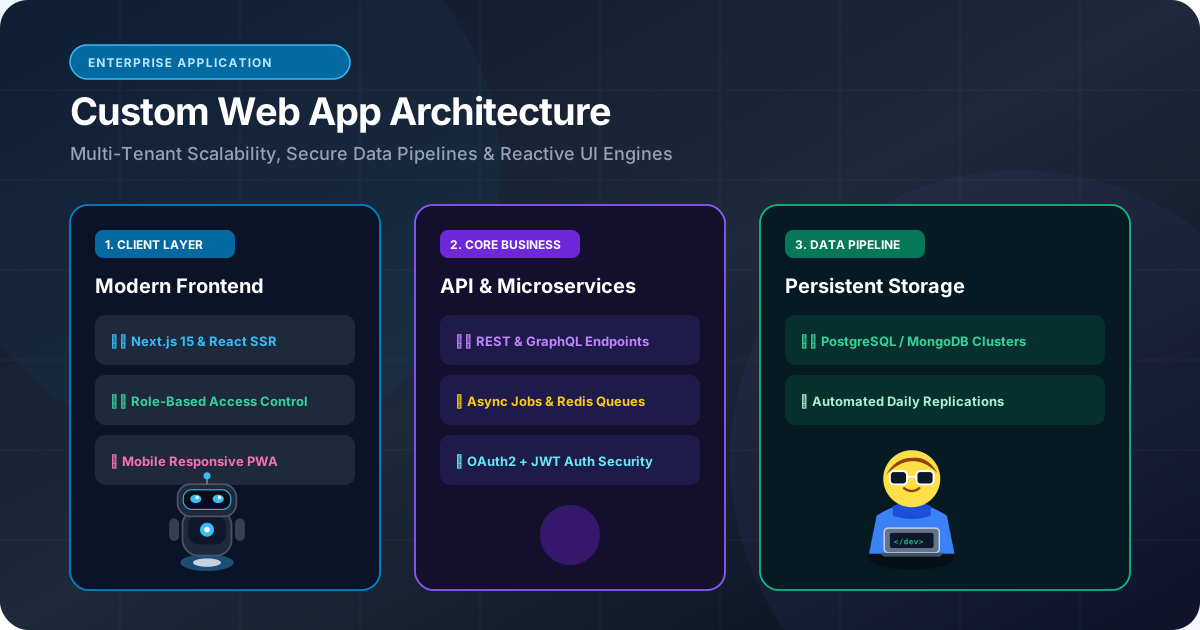
Custom Web Application Development: When Should a Business Build a Custom Web App?
When should a business build custom web applications instead of subscribing to SaaS? Learn how custom portals, wholesale dashboards, and bespoke workflows deliver compounding ROI.
Frontend Development: How Modern Websites Deliver Fast and Interactive Experiences
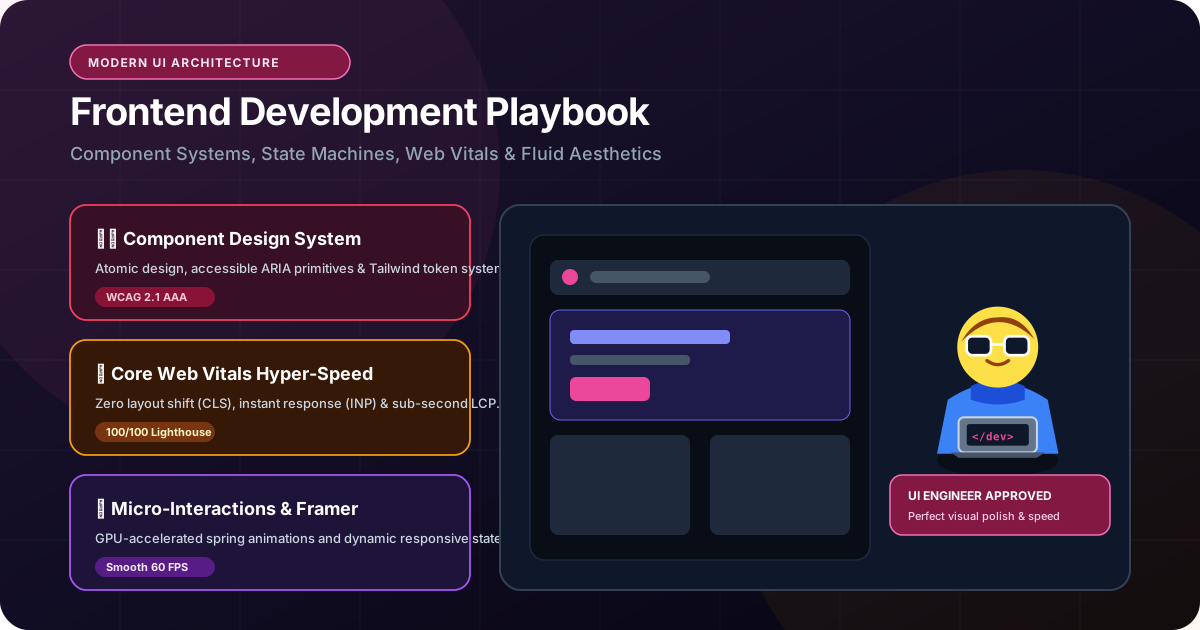
Learn how modern frontend development combines Next.js, React, and TypeScript to deliver lightning-fast page speeds, mobile responsiveness, and high conversion rates.
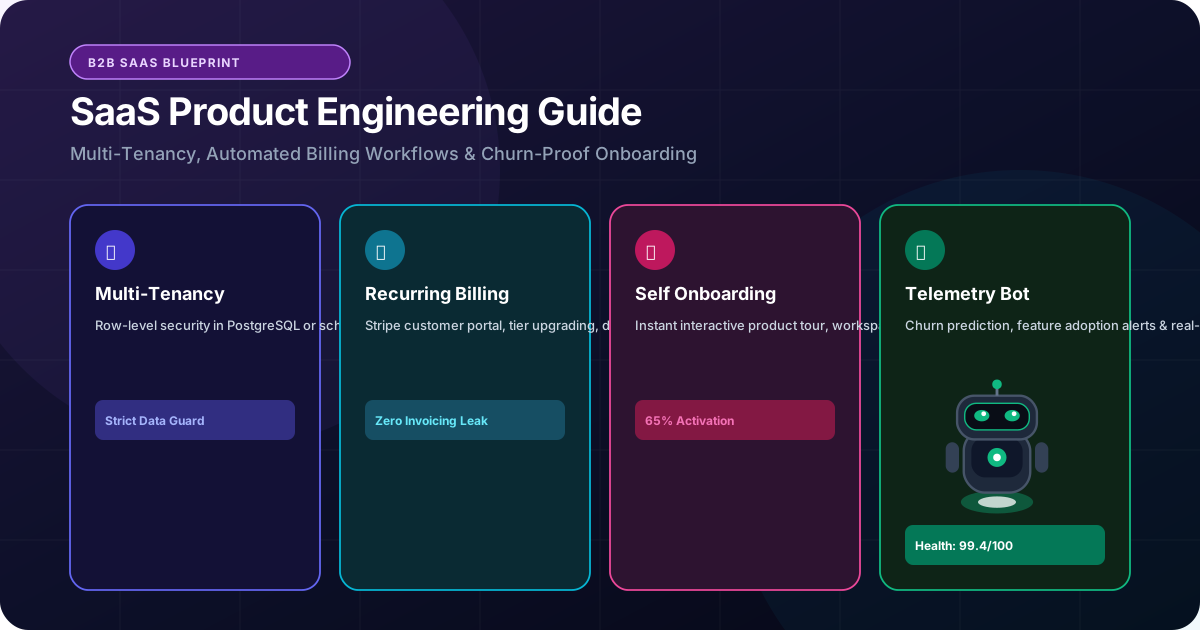
What Is SaaS Development? A Complete Guide to Building a SaaS Web Application
Learn how to build a scalable Software-as-a-Service (SaaS) web application. Master multi-tenant architecture, automated billing, role permissions, and product scalability.