How to Migrate an Old Website to a Modern Technology Stack Without Losing SEO
A foolproof technical SEO migration guide for redesigning or re-platforming enterprise websites while protecting organic rankings, traffic, and revenue.


- 1. The Migration Nightmare: Why Unprepared Redesigns Crash
- 2. Phase 1: Pre-Migration Discovery & Benchmarking
- 3. Phase 2: Migration Execution & 301 Redirect Architecture
- 4. Staging Environment Testing & Technical SEO Audits
- 5. Phase 3: Post-Launch Telemetry & Search Console Audits
- 6. The 25-Point Website Migration SEO Checklist
- 7. How to Diagnose & Remediate Post-Migration Traffic Dips
Every successful growing business eventually outgrows its legacy website. Whether your site is trapped on an obsolete WordPress setup, an outdated Drupal installation, or a sluggish custom PHP framework built a decade ago, replatforming to a modern, lightning-fast architecture like Next.js is essential for security, mobile speed, and user experience. Yet for founders, marketing directors, and SEO managers, a website migration is terrifying. The internet is littered with horror stories of companies that launched a beautiful new website redesign only to watch 50% to 80% of their organic search traffic, keyword rankings, and inbound sales inquiries evaporate overnight. When organic traffic plummets after a migration, it is never 'bad luck' or an unpredictable Google algorithm update; it is always the direct result of technical oversights: broken URL redirects, missing metadata, altered heading structures, or improperly configured canonical tags. In this definitive technical guide, RankVRA's technical SEO team breaks down the exact engineering framework required to migrate a website with zero loss of SEO equity.
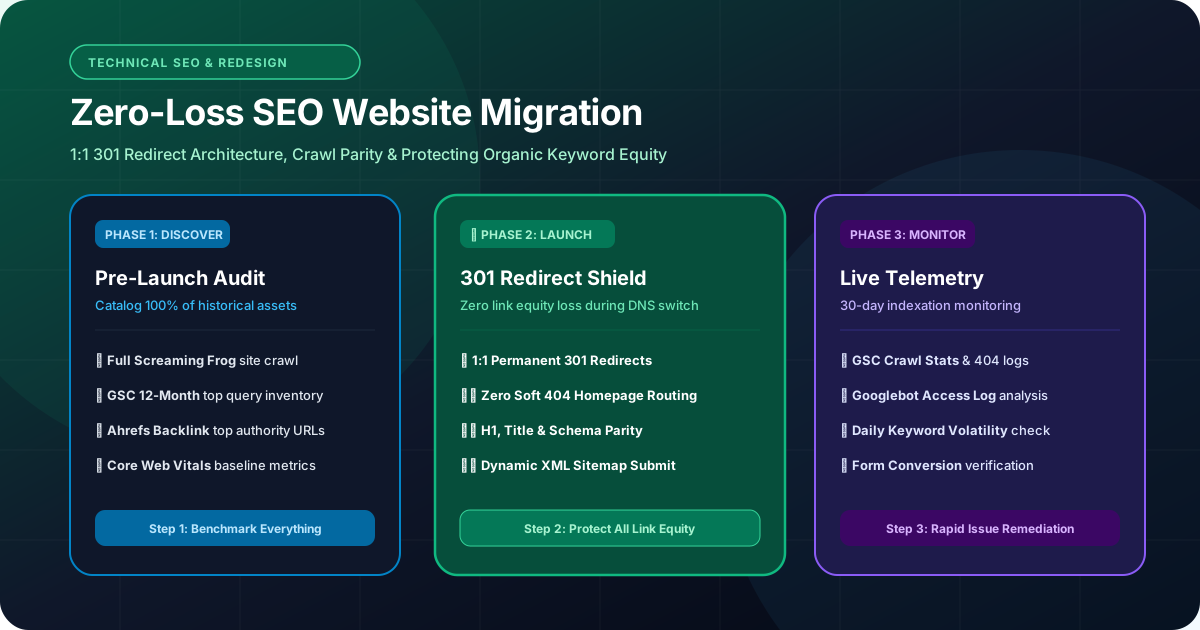
Migrating a website without losing SEO requires a rigorous three-phase technical protocol: Phase 1 (Pre-Migration) inventories all indexed URLs, organic rankings, backlink profiles, and metadata benchmarks; Phase 2 (Execution) maps 100% of legacy URLs to new destinations using permanent 1:1 301 server redirects, validates canonical tags, and verifies structured data in staging; Phase 3 (Post-Launch) monitors Google Search Console crawl errors, tracks 404 logs, and updates XML sitemaps to preserve keyword equity.
1. The Migration Nightmare: Why Unprepared Redesigns Crash
Understanding how search engine crawlers perceive a website replatforming
To execute a flawless migration, you must understand how Googlebot interacts with your website:
Over years of operating your legacy website, search engines have built an intricate understanding of your domain. They have crawled thousands of URLs, associated specific keywords with individual pages, evaluated internal anchor text, and mapped authoritative external backlinks pointing to specific historical URLs.
When you launch a new website with a different technology stack, URL structures almost always change (e.g., /services.php?id=4 becomes /services/commercial-insurance). If an agency launches the new site without mapping server-level permanent redirects, every historical backlink and ranking signal breaks. Googlebot visits the old URLs, encounters HTTP 404 Not Found errors, and promptly drops your domain from search indices.
A successful website redesign preserves historical equity by serving as a seamless bridge for search engines.
2. Phase 1: Pre-Migration Discovery & Benchmarking
Cataloging every digital asset, backlink, and ranking position before writing code
Phase 1 occurs weeks before any code is deployed to production. You cannot protect what you have not cataloged:
• Comprehensive URL Crawl Inventory: Run a complete crawl of your existing legacy website using Screaming Frog or Sitebulb. Export every live HTML page, image URL, PDF document, and media asset into a master inventory spreadsheet.
• Search Console & Analytics Extraction: Export the past 12 months of performance data from Google Search Console (GSC) and Google Analytics 4 (GA4). Identify every URL that has generated at least 1 organic click or impression.
• External Backlink Audit: Use Ahrefs or Semrush to export your domain's complete backlink profile. Highlight your top 100 most linked-to historical pages—these URLs hold the majority of your domain authority and must receive flawless redirect handling.
• Benchmark Core Web Vitals & Rankings: Document your existing desktop and mobile Core Web Vitals (LCP, INP, CLS) and benchmark current keyword ranking positions across your core commercial service terms.
3. Phase 2: Migration Execution & 301 Redirect Architecture
The golden rule of migration: 1-to-1 permanent redirects without exception
The heart of any technical SEO migration is the 301 Redirect Map. A 301 HTTP status code informs search engines that a URL has moved permanently to a new address, transferring 95%–99% of historical link equity and ranking signals to the new destination.
To guarantee complete equity preservation, enforce these three non-negotiable rules:
1. Strictly 1-to-1 Mapping: Never redirect dozens of legacy blog posts or service URLs to your homepage. Catch-all redirects to the homepage are treated by Google as 'soft 404s' and completely strip page-level keyword rankings. Every old page must point to its exact topical equivalent on the new site.
2. Zero Redirect Chains: Ensure redirects move directly from Old URL -> New URL in a single hop. Redirect chains (Old URL -> Intermediate URL -> New URL) bleed crawl budget and dilute link equity.
3. Protocol & Trailing Slash Consistency: Ensure all HTTP requests redirect to HTTPS, all non-www requests resolve to www (or vice versa), and trailing slash conventions are consistent across your entire server configuration.
4. Staging Environment Testing & Technical SEO Audits
Validating code integrity in a protected pre-production environment
Before pointing your production DNS to the new tech stack, deploy the new website on a password-protected staging server (e.g., staging.yourdomain.com).
Conduct these 5 critical pre-launch technical audits:
• Staging Password Protection: Ensure the staging site is protected by HTTP Basic Authentication or IP whitelisting to prevent Googlebot from prematurely crawling and indexing duplicate staging pages.
• Content & Heading Hierarchy Parity: Verify that primary keywords, H1 headings, H2 subheadings, and core technical copy from top-ranking legacy pages have been accurately preserved on the new templates.
• Canonical Tag Validation: Check that every page contains a self-referencing canonical tag pointing to the absolute production HTTPS URL.
• Structured Data & Schema Markup: Validate your JSON-LD schema markup (Organization, Service, Article, BreadcrumbList) using Google's Rich Results Test tool to guarantee error-free entity recognition.
• Internal Link Crawl: Crawl the staging site to ensure zero internal links point to 404 error pages or legacy staging URLs.
5. Phase 3: Post-Launch Telemetry & Search Console Audits
What to do during the critical first 72 hours after DNS switchover
Launch day is not the finish line; it is where active technical monitoring begins:
• Remove Staging Blocks & Verify robots.txt: Immediately verify that the production robots.txt file does not accidentally contain 'Disallow: /'—a shockingly common mistake that de-indexes entire websites.
• Submit Updated XML Sitemaps: Generate clean XML sitemaps containing only 200 OK indexable production URLs and submit them directly inside Google Search Console.
• Real-Time Server Log File Analysis: Monitor server access logs to observe Googlebot crawl patterns in real time. Watch for unexpected 404 or 500 server error spikes as crawlers explore the new site.
• Daily Search Console Error Tracking: Review GSC 'Pages' and 'Crawl Stats' reports daily for the first 30 days to catch and resolve any orphaned or unindexed pages immediately.
• Validate Tracking Pixels & Conversions: Submit test inquiries on contact forms and verify that Google Analytics 4, Google Ads conversion tags, and CRM integrations are recording data seamlessly.
6. The 25-Point Website Migration SEO Checklist
Your step-by-step master checklist for a zero-traffic-loss migration
Follow this tactical checklist across all phases of your migration project:
PRE-MIGRATION:
1. Full site crawl export (all existing URLs).
2. GSC 12-month top query & page report exported.
3. Top 100 backlink authority URLs identified.
4. Core Web Vitals baseline scores documented.
5. Google Analytics goal conversion benchmarks recorded.
6. 1:1 301 Redirect map drafted and reviewed.
DURING MIGRATION:
7. Staging server password-protected from search bots.
8. Content and H1/H2 heading parity confirmed.
9. Title tags and meta descriptions migrated.
10. Self-referencing canonical tags verified.
11. JSON-LD structured data validated.
12. All internal links point to clean new URLs.
13. 301 redirect rules uploaded to edge server/CDN.
14. Redirects tested across mobile and desktop.
15. Zero redirect chains or circular loops verified.
LAUNCH & POST-LAUNCH:
16. Production DNS pointed to new modern hosting.
17. robots.txt updated and verified unblocked.
18. SSL certificate installed and verified (TLS 1.3).
19. New XML sitemap submitted in Google Search Console.
20. Google Search Console 'Change of Address' submitted (if domain changed).
21. Live form submissions tested with CRM and email.
22. Googlebot server logs monitored for 404 spikes.
23. Daily keyword ranking volatility tracked.
24. 404 monitoring tool deployed to catch missing legacy URLs.
25. Post-migration crawl audit conducted at Day 7, Day 14, and Day 30.
7. How to Diagnose & Remediate Post-Migration Traffic Dips
What to do if organic impressions decline following launch
It is completely normal to experience modest ranking fluctuations (±5%) during the first 2 to 3 weeks after launch as Google recalibrates your new HTML structure and recalculates internal PageRank.
However, if you observe a sharp, sustained traffic drop of 20% or more, conduct this immediate triage:
• Check for Accidental 'noindex' Tags: Inspect your HTML header to ensure developers did not leave meta robots 'noindex, nofollow' tags active from the staging build.
• Check for Missing Redirects on High-Authority Pages: Compare your top 100 backlink pages against your 301 redirect map. If an authoritative URL was missed and is returning a 404 error, implementing the redirect will restore lost equity within days.
• Analyze Mobile Core Web Vitals: If your new redesign is visually stunning but heavy with uncompressed images or bloated scripts, poor mobile LCP or INP scores may be dragging down rankings.
• Request an Audit: If you need experienced eyes, request a professional free website audit from RankVRA's technical directors.
Key Strategic Takeaways
- Website migrations fail when technical redirect mapping, metadata, and canonical rules are ignored during redesigns.
- Always inventory 100% of legacy URLs, top backlinks, and ranking queries before touching production code.
- Every legacy URL must route through an exact 1-to-1 permanent 301 redirect; avoid generic homepage catch-all redirects.
- Monitor server logs and Google Search Console daily for 30 days post-launch to catch and remediate 404 errors immediately.
- Work with RankVRA's [website redesign team](/services/website-redesign) to ensure your new high-speed site launches with zero SEO leakage.
The Bottom Line & Next Steps
Migrating an old website to a modern technology stack is one of the most powerful growth levers available to an ambitious enterprise. When executed with rigorous technical SEO discipline, a migration does not risk your organic traffic—it accelerates it, combining the accumulated authority of your historical domain with the sub-second speed, flawless mobile experience, and modern architecture of the future.
Questions Business Leaders Ask About website migration SEO
How long does it take for Google to recognize a website migration?▾
Google typically begins processing 301 redirects within 48 to 72 hours of launch. However, for large websites with thousands of pages, it can take 4 to 8 weeks for Googlebot to fully re-crawl, re-index, and transfer historical ranking signals to the new URL structure.
Is some traffic loss inevitable during a website redesign?▾
No. While minor temporary volatility (±5%) can occur over the first two weeks as Google recalibrates your new page structures, a properly executed technical migration should maintain or quickly exceed pre-migration organic traffic levels due to improved mobile speed and Core Web Vitals.
How long should 301 redirects remain active after a migration?▾
Google officially recommends keeping 301 redirects active for a minimum of one full year. For high-authority legacy pages that possess powerful external backlinks, redirects should ideally remain active indefinitely.
What is the biggest mistake companies make during a website migration?▾
The single biggest mistake is redirecting all old URLs to the new homepage instead of mapping them 1-to-1 to topically relevant pages. Google treats blanket homepage redirects as 'soft 404s' and completely strips page-level keyword rankings and backlink authority.

Written by Naveen Panchal
AuthorFounder & Lead Technical Architect, RankVRA
Naveen Panchal is the Founder and Technical Director of RankVRA. He specializes in full-stack web engineering, Next.js architecture, and high-performance digital systems for clients across the US, UK, Canada, and India.
Explore Core Commercial Capabilities
Modernize legacy platforms with zero loss of organic SEO rankings.
Deep crawl audits, schema markup, and Core Web Vitals optimization.
Full-cycle custom engineering for modern high-performance web platforms.
Request a thorough technical review of your existing website architecture.
- Google Search Central: Google Search Central: Site Moves & Migrations GuideOfficial Reference
- Google Search Central: Google Search Central: 301 Redirect GuidelinesOfficial Reference
- W3C: W3C HTTP Status Code DefinitionsOfficial Reference
Planning a Website Redesign or Technology Migration?
Do not risk your hard-earned organic rankings and revenue. Partner with RankVRA technical SEO architects to manage your complete pre-migration audit, 301 redirect map, and post-launch verification.
Related Growth Blueprints
Explore more strategic articles from the RankVRA engineering desk.
Why Website Performance Matters for Business Growth: Sub-Second Speed Engineering
Slow websites destroy business revenue. Discover how website performance optimization impacts Core Web Vitals, conversion rates, Google rankings, and user retention.
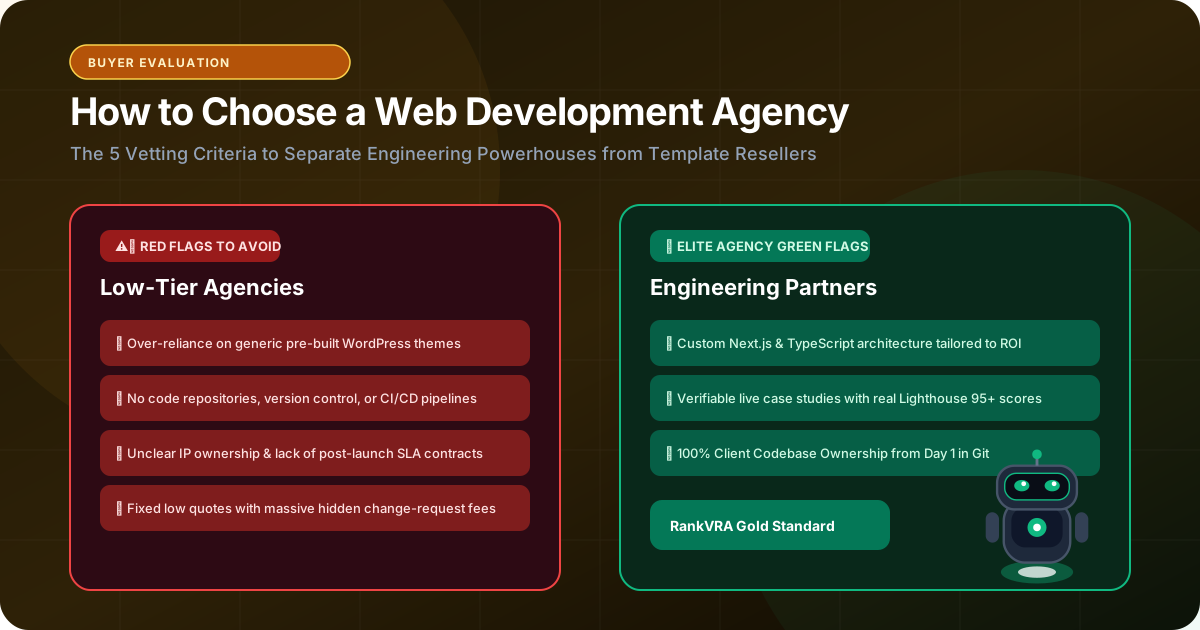
How to Choose a Web Development Company for Your Business: The Due Diligence Guide
Learn how to choose the right web development company. Avoid cheap template traps, evaluate engineering depth, ensure 100% code ownership, and protect your software investment.
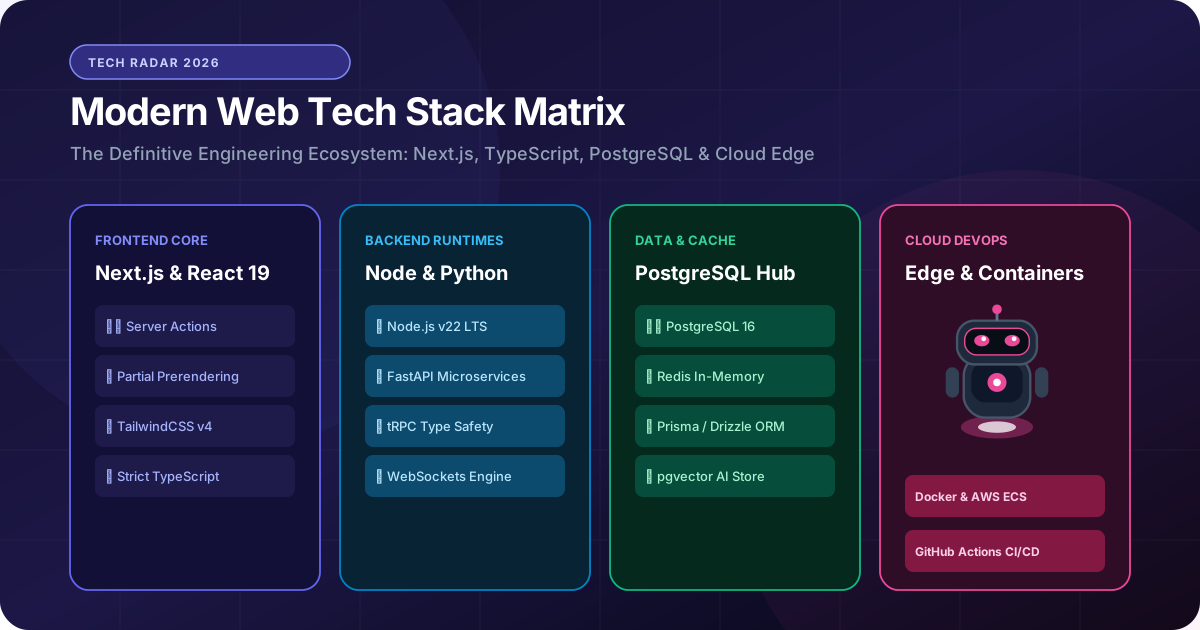
How to Choose the Right Web Development Technology for Your Business
Avoid costly technical debt. Learn how to select the right web development stack (Next.js, React, Node.js, Python, PostgreSQL) based on speed, scale, and business ROI.

How Much Does It Cost to Build a Business Website in 2026?
How much does a business website cost in 2026? Explore the real cost drivers—design complexity, page count, CMS, custom integrations, security, and maintenance.